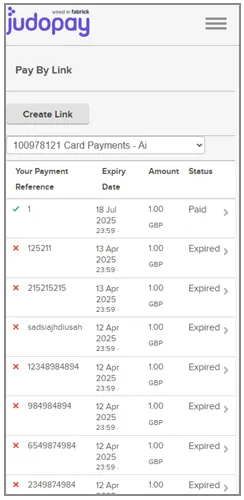
From the Judopay Portal, you can:
- View a list of all your PayByLink links
Filter the list by:
- Location (judoId)
- PayByLink status
| Step | Description |
| 1 | From the side menu, select PayByLink. Displaying:
|
| 2 | Select the Filter button |
| 3 | You have the option to filter by Location (judoId), or PayByLink status.
|
| 4 | All PayByLink links are filtered and displayed using the Location or PayByLink status. For the purpose of this exercise, the list is filtered using the PayByLink status Paid. |
Note: The Expiry Date column is hidden when the PayByLink list is viewed within a small screen, (see below):